Business Facebook Cover: A Practical Tool for Branding
Your Facebook page is often the first place potential clients, collaborators, or employers go to learn about your business. The cover image at the top of that page is prime real estate—it sets the tone, communicates what you do, and reinforces your brand identity. A well-designed Business Facebook Cover does more than just fill space; it tells a story about who you are and what you offer. If you’ve ever struggled with creating a professional-looking banner from scratch, a customizable template can save you time and frustration while delivering polished results.
Why a Business Facebook Cover Matters More Than You Think
Think about how quickly people scroll through their feeds. When someone lands on your page, that cover image is the largest visual element they see. It works alongside your profile picture to create an immediate impression. Whether you’re a freelance designer, a local coffee shop owner, or a corporate marketing manager, that banner space is an opportunity to communicate professionalism, creativity, and trustworthiness without saying a word.
A generic or poorly sized cover photo signals that you haven’t put much thought into your online presence. On the flip side, a crisp, well-composed banner that aligns with your brand colors and messaging tells visitors you care about details. This is especially important for entrepreneurs and small business owners who operate in competitive markets. A strong visual first impression can be the difference between someone clicking “Follow” or moving on to the next page.
Key Characteristics of This Corporate Banner Design
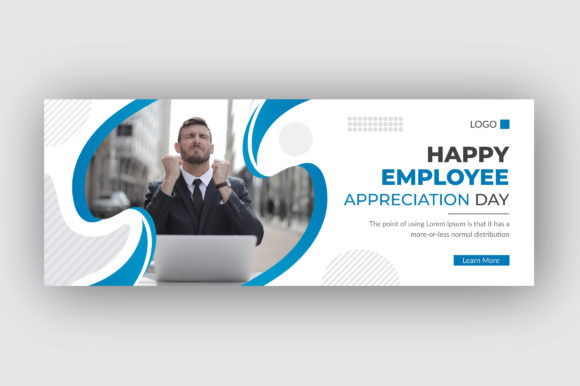
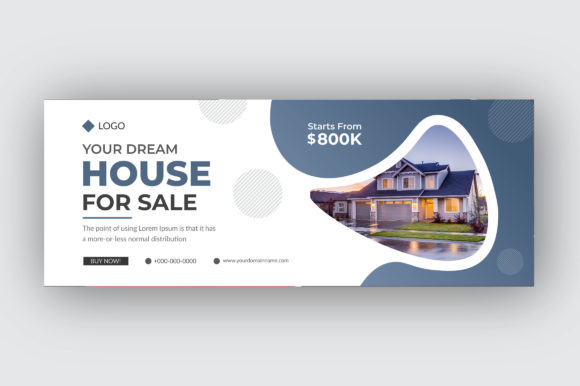
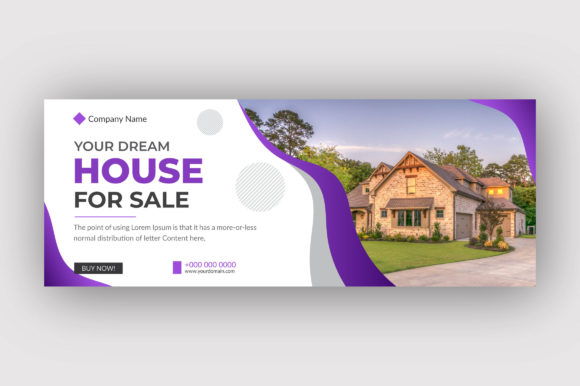
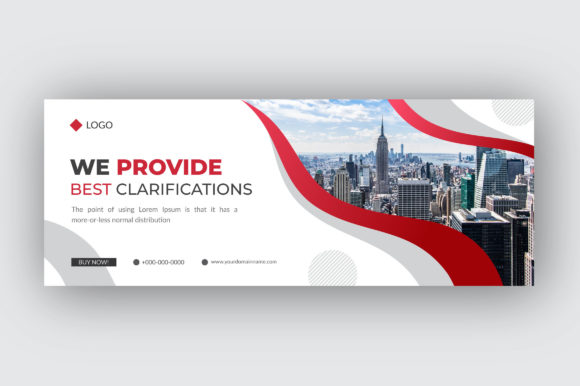
Not all Facebook cover templates are created equal. This particular Business Facebook Cover template is built with practical usability in mind. It comes as a vector file at 150 DPI resolution, which means your final image will look sharp on both desktop and mobile screens. The dimensions are set at 820 by 312 pixels—Facebook’s standard cover size—so you won’t have to guess or crop awkwardly.
One of the standout qualities is that all main elements are editable and customizable. You can change colors, swap out text, adjust shapes, and insert your own logo or imagery without much hassle. The template includes AI, SVG, and EPS file formats, making it compatible with most major design software like Adobe Illustrator, Inkscape, or Affinity Designer. If you prefer to work with free fonts, that’s also covered—the template uses a free font, so you don’t need to purchase any additional typefaces to get started.
RGB color mode is standard for digital screens, and this template sticks with that specification. That means the colors you see on your monitor will closely match what appears on your Facebook page. The 150 DPI resolution is a sweet spot for web use—high enough to look crisp on retina displays but not so large that file sizes become unwieldy.
Practical Applications Across Different Environments
The beauty of a customizable template is that it works for a wide range of use cases. Here are just a few ways professionals and creators put this Business Facebook Cover to work:
- Freelancers and solopreneurs can quickly update their cover image whenever they launch a new service or rebrand. Instead of hiring a designer each time, you can make small tweaks yourself and keep your page looking current.
- Small business owners running cafes, retail shops, or service-based companies can use the template to highlight promotions, seasonal offers, or new products. Swapping out the text or background color takes minutes.
- Educators and course creators can use the banner to promote upcoming webinars, workshops, or digital products. A clear call-to-action on the cover can drive sign-ups without needing a separate ad.
- Corporate marketing teams managing multiple brand pages appreciate the consistency that comes from using a template. You can duplicate the file, change details, and ensure every department page follows the same visual guidelines.
- Bloggers and content creators often update their Facebook cover to reflect new content series, podcast episodes, or YouTube uploads. The editable elements make it easy to keep your page aligned with your latest project.
- Nonprofit organizations can leverage the template for awareness campaigns, fundraising events, or volunteer drives. The professional look helps build credibility with potential donors.
Usability and Efficiency: What You Get Out of the Box
One of the most frustrating parts of designing for social media is getting the dimensions wrong or realizing your file is too low-resolution to look good on a large screen. This template removes that guesswork. The 820 by 312 pixel dimension is exactly what Facebook recommends, so your cover will display correctly on desktop, tablets, and mobile devices without being cut off or stretched.
The vector format is a major advantage. Unlike raster images that become pixelated when resized, vector files maintain their sharpness no matter how much you scale or adjust them. If you need to use part of the design for a social media post or a print flyer, you can do that without losing quality. For professionals who value efficiency, this means one template can serve multiple purposes beyond just the Facebook cover.
Editable layers let you control exactly how much or how little you want to change. Maybe you only need to replace the placeholder text with your company name and tagline. Or perhaps you want to completely overhaul the color scheme to match your brand palette. Both approaches are straightforward because the files are organized with labels and grouped elements. Even if you’re not a seasoned designer, you can achieve professional results by following a few basic steps in your vector editing software.
Realistic Recommendations for Getting the Most Out of Your Template
Before you dive into editing, it’s worth taking a few minutes to plan out your cover design. Think about the primary message you want to communicate. Is your goal to showcase a product, announce an event, or simply reinforce brand recognition? Your answer will guide how you arrange the text, images, and shapes within the template.
Keep readability in mind. Facebook covers are often viewed on smaller mobile screens, so avoid cluttering the design with too much fine text or intricate details. Use short phrases, bold fonts, and high-contrast color combinations. The free font included in the template is a good starting point, but feel free to swap it out for something that better reflects your brand voice—just make sure it remains legible at smaller sizes.
Test your design across devices before publishing. What looks great on a 27-inch monitor might have the important details hidden behind the profile picture or cropped out on a phone. Facebook’s cover safe zones are well-documented, and many templates are built with those zones in mind. Still, it’s good practice to preview your final image on both desktop and mobile views.
Update your cover regularly. A stale banner that hasn’t changed in months suggests inactivity. Even a small seasonal refresh or a new call-to-action can make your page feel active and engaged. Since your template is fully editable, you can create variations and swap them out as needed without starting from zero each time.
Why This Template Works for Busy Professionals
Time is a limited resource, especially for entrepreneurs and marketers juggling multiple responsibilities. A ready-made Business Facebook Cover file eliminates the need to learn complex design tools from scratch or spend hours searching for the right fonts and colors. You get a cohesive, well-structured file that only requires your content and branding to be complete.
The inclusion of AI, SVG, and EPS formats also future-proofs your investment. If you switch design software or collaborate with someone who uses a different program, you can still open and edit the file without compatibility issues. SVG files, in particular, are lightweight and web-friendly, making them easy to share with team members or use in other digital projects.
For corporate environments where brand consistency is non-negotiable, this template provides a solid foundation. Marketing managers can distribute the file to regional teams or franchise owners, ensuring that every Facebook page adheres to the same visual standards. Editable elements allow for localized text or promotions while keeping the overall layout and style uniform.
Final Thoughts on Choosing and Using a Corporate Facebook Cover
A Business Facebook Cover template is one of those tools that seems simple but can have a surprisingly big impact on how your brand is perceived. It saves time, reduces design stress, and helps you maintain a professional appearance across your social media presence. The specific template described here stands out because of its practical resolution, editable vector layers, and compatibility with free fonts—all factors that make it accessible to both experienced designers and those just starting out.
Whether you’re refreshing your personal brand page, launching a new business, or standardizing your company’s social media visuals, having a reliable template in your toolkit is a smart move. Take advantage of the customization options, keep your audience in mind, and update your cover periodically to keep your page looking fresh and relevant. With the right approach, your Facebook cover can become a genuine asset to your online communication strategy.