Pixel Editable Text Effect – Creative Font Style
Typography can define the personality of a project. When you need something that feels handmade, digital, and endlessly adaptable, the Pixel editable text effect delivers exactly that. Designed by Alexander Gusev, this vector-based style lets you turn any word or phrase into a distinctive pixelated composition. Whether you are a seasoned designer or a small business owner exploring new visual directions, this effect offers a practical way to stand out without sacrificing flexibility.
What Makes the Pixel Text Effect Stand Out
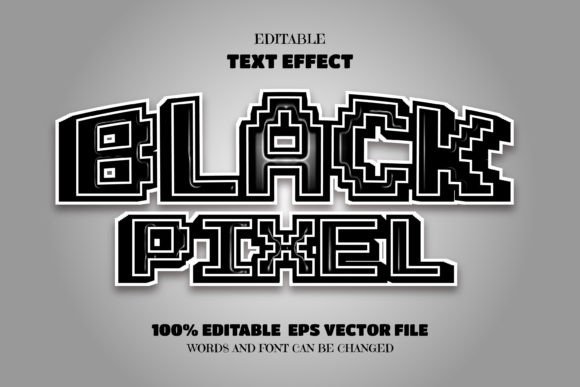
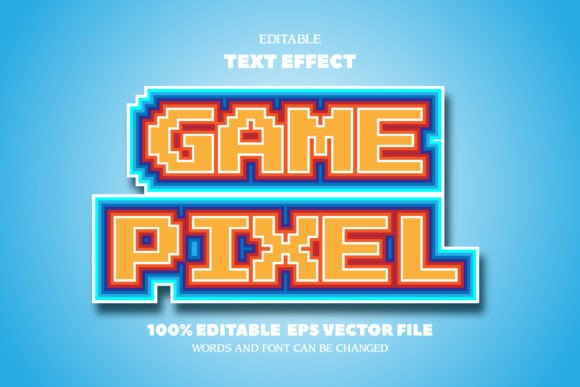
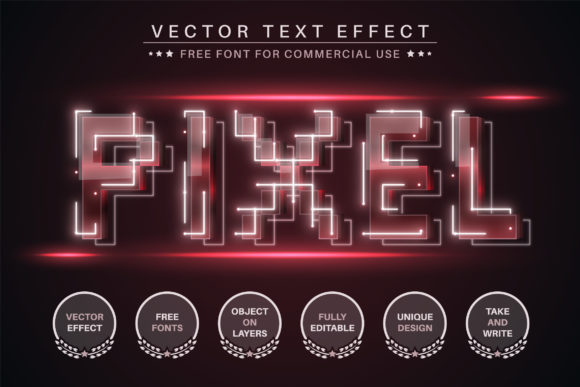
At its core, the Pixel effect transforms standard text into a blocky, retro-inspired visual that still feels fresh and modern. Unlike simple bitmap fonts, this is a fully editable vector format. That means no resolution limits, no blurry edges, and no struggling with scaling. You can use it for a tiny social media badge or a massive billboard design without any loss of quality.
The package includes EPS and AI files compatible with Adobe Illustrator CC2014 and newer. You also get two detailed manuals: one for using the text effect and another for applying the effect to logos. Free commercial fonts are included, so you don’t need to hunt down additional resources. Everything is structured to help you customize colors, resize, rotate, and adapt the effect to your specific needs.
Creative Possibilities Across Projects
The Pixel effect is surprisingly versatile. Its handmade, pixelated quality can serve many moods and messages. Here are some practical ways to apply it across different contexts.
Branding and Logo Design
For entrepreneurs and small business owners, a logo needs to be memorable. The Pixel effect gives you a way to create a logo that feels both playful and precise. Imagine a tech startup wanting to nod to retro gaming culture, or a local café that wants a quirky, approachable sign. The effect can be adjusted to match the brand’s color palette and resized for everything from business cards to storefront windows. Because it is vector based, you can also combine it with other elements without worrying about compatibility.
Social Media and Digital Content
Marketers and content creators are always looking for ways to grab attention in a crowded feed. Pixel-style headlines, quotes, or call-to-action text can break the visual monotony. Use it for Instagram stories, YouTube thumbnails, or pinned tweets. The effect works especially well for gaming channels, retro-themed posts, or any content that wants to communicate a sense of fun and nostalgia. Since you can edit colors easily, you can align the text with seasonal campaigns or brand updates in minutes.
Print Materials and Merchandise
Hobbyists and creators who sell merchandise will appreciate the scalability of the Pixel effect. T-shirt designs, stickers, posters, and zines all benefit from a unique typographic treatment. The pixelated look translates well to screen printing and digital print-on-demand services. Because the file is editable, you can test different color variations or combine the text with illustrations to create cohesive product lines.
Educational and Instructional Content
Educators and trainers can use the Pixel effect to make learning materials more engaging. Headers for worksheets, presentation slides, or digital course modules can be styled to match a playful or tech-focused theme. It is especially effective for content aimed at younger audiences or for subjects like game design, coding, or digital art. The clear, blocky letters remain readable even at smaller sizes, which is a practical advantage.
Event and Campaign Signage
For events, festivals, or pop-up activations, signage needs to communicate quickly and leave an impression. The Pixel effect can be used for banners, directional signs, or themed photo backdrops. Its visual distinctiveness helps it stand out in busy environments. And because you have the vector source, you can produce both small handouts and large format prints from the same file.
Adapting the Effect for Different Audiences and Goals
One of the strongest aspects of the Pixel effect is how easily it can be tuned to different tones. You can keep the colors bright and saturated for a child-friendly, energetic vibe. Or you can desaturate and use muted tones for a more sophisticated, artistic look. The size and spacing of the pixel blocks can also be adjusted, giving you control over how chunky or refined the final text appears.
For a professional audience, such as a corporate presentation about innovation, you might use the effect sparingly on key terms to add visual interest without overwhelming the layout. For a creative portfolio, the effect can become a signature style that ties the work together. The key is to consider the audience’s expectations and the message you want to convey. The pixel style communicates craftsmanship and attention to detail, which can work in both casual and polished contexts.
Practical Tips for Consistent, Clear Results
Getting the most out of the Pixel effect requires a bit of planning. Here are straightforward recommendations to keep your designs effective and organized.
- Start with clear, short words or phrases. The pixel style works best when the text is not overly long. Shorter words allow the blocky character shapes to shine and remain legible.
- Use high-contrast color combinations. Because the effect has a built-in grid-like structure, contrast helps the letters pop. Dark text on a light background or vice versa usually gives the cleanest result.
- Test your design at different sizes. Open your file and see how the text reads at the intended viewing distance. Adjust the pixel density if needed to maintain readability.
- Keep the rest of your layout simple. The Pixel effect is visually strong. Let it be the focal point by pairing it with minimal backgrounds, solid colors, or simple icons.
- Follow the included manuals closely. Alexander Gusev has provided clear documentation. Taking a few minutes to read both PDFs will save you time and help you avoid common pitfalls.
- Save your work in multiple formats. Once you have your final design, export versions for web, print, and editing. This keeps you prepared for any future use.
Why Vector Format Matters for Real Projects
If you have ever tried to enlarge a pixelated effect from a raster image, you know the frustration of jagged edges and lost detail. The vector format used in this product eliminates that problem entirely. You can scale the Pixel text effect up to any size without degradation. This is especially important for freelancers and small business owners who might not have the budget to redo assets for different platforms. One source file can serve your entire media ecosystem, from a tiny favicon to a large trade show banner.
The inclusion of AI and EPS files also means you are not locked into a single workflow. Whether you prefer to work natively in Illustrator or move files between design tools, the format gives you flexibility. The free commercial fonts included in the package are an added bonus, removing the need to purchase separate licenses for your projects.
Bringing Your Ideas to Life with the Pixel Effect
The most exciting part of working with a tool like this is the freedom to experiment. You can start with a simple word like “hello” or your own name and see how the effect transforms it. From there, you can explore variations in color, spacing, and composition. The pixel style invites playfulness, but it does not sacrifice professionalism. It fits comfortably into portfolios, client work, personal projects, and commercial applications.
If you are a designer looking for a fresh way to handle headlines, a blogger wanting to create custom graphics, or an entrepreneur building a visual identity from scratch, the Pixel editable text effect gives you a reliable starting point. The documentation and font files remove the guesswork, so you can focus on what matters: communicating your message in a way that feels original and intentional.
Take a few minutes to open the AI file, read the manual, and test a few color combinations. You will quickly see how this effect can adapt to your style. Whether your project is playful or polished, digital or printed, the Pixel effect offers a unique, handy touch that feels both crafted and current. Let your imagination guide the rest.