Valentine's 3D Editable PSD Text Effect: A Practical Tool for Creators and Marketers
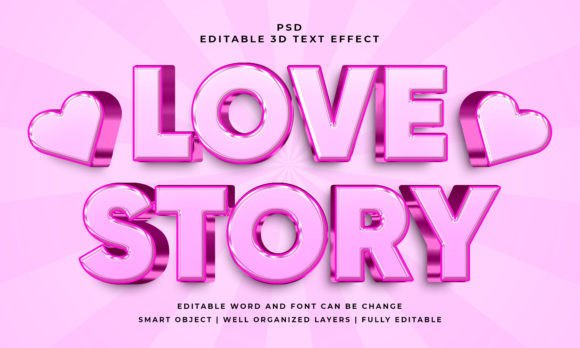
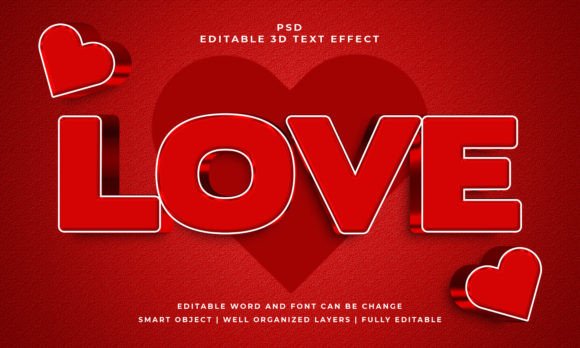
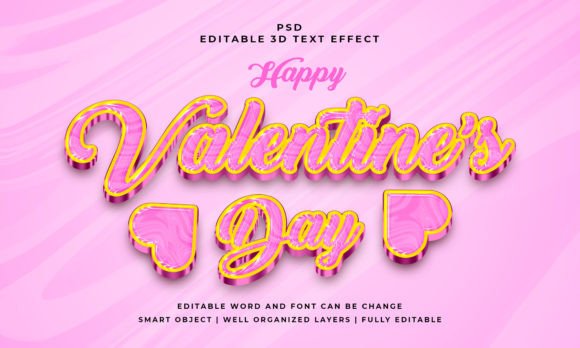
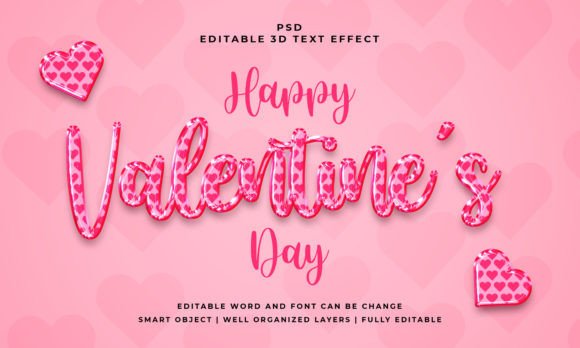
You have probably seen those bold, layered 3D text designs popping up across social media, email campaigns, and printed materials around February. The Valentine's 3D Editable PSD Text Effect is exactly what it sounds like: a pre-built Photoshop file that gives any word or shape a dimensional, romantic look with shadows, gradients, and depth. It is not a font or a one-time graphic. It is a smart object template where you double-click, paste your own text, and the effect applies automatically. That means you can customize the message while keeping the polished 3D style intact.
This article walks through realistic situations where this kind of resource saves time, improves design quality, and helps you communicate better. Whether you are creating for yourself, your clients, or your audience, understanding how to use this effect in context matters more than just knowing it exists.
Who Actually Uses a 3D Text Effect Like This?
The short answer is almost anyone who needs to make words stand out quickly. But let us break that down into real people with real tasks.
Small business owners running Valentine's promotions often lack the budget for a professional designer. A bakery owner updating their storefront flyer for February 14 can open the PSD file, replace the word "Love" with "Chocolate Strawberries," adjust the color accent, and print. No need to learn complex layer styles or 3D rendering software.
Social media managers handling content for a retail brand might use the effect for Instagram Stories or pinned posts. The 3D look catches the eye in a crowded feed, and because the file is editable, they can reuse it for different products throughout the season. Changing the text from "Sweet Deals" to "Shop Gifts" takes seconds.
Freelance graphic designers serving multiple clients benefit from having a reliable template in their toolkit. Instead of building a 3D effect from scratch for each Valentine's project, they hand over a customized PSD that the client can edit later. That builds trust and reduces revision requests.
Where and When This Effect Makes the Most Impact
Context determines whether a 3D text effect looks professional or overdone. Here are settings where it works naturally.
Physical Printed Materials
Flyers, posters, product tags, and gift cards printed at home or through a local print shop gain a tactile quality with 3D text. The shadows and highlights mimic embossing or foil stamping without the production cost. A small boutique preparing Easter-adjacent Valentine stock can use the template for shelf talkers. The depth helps the text read from a distance, which matters when customers walk past displays quickly.
Digital Marketing Assets
Email headers, Facebook cover photos, and Pinterest pins compete for attention within fractions of a second. A flat text overlay often blends into the background. The 3D effect creates separation. For example, a wedding planner running a "Valentine's Proposal Package" campaign can drop the headline into the PSD, export a PNG, and use it across their website hero section and social ads. The consistent look reinforces brand recognition.
Personal Projects and Gifts
Not every use is commercial. People designing custom Valentine's cards, digital invitations for a couple's dinner, or framed quotes for their living room find the editable format approachable. You do not need design experience. Type a partner's name or a meaningful date, adjust the color to match your decor, and upload to a printing service or share as a digital file. The 2000x1200 pixel resolution holds up well for standard frame sizes and online sharing.
How Different Users Get Different Results
The same PSD file behaves differently depending on how you use it. Understanding that helps you choose whether to buy, download, or apply this specific effect.
For Marketers Testing Multiple Messages
If you are A/B testing Valentine's subject lines or ad copy, speed matters. Open the PSD, change the text inside the smart object, save, and export. Repeat for each variation. The layer organization in the file means you do not rebuild the effect each time. Marketers who manage multiple campaigns across segments can produce six variations in under ten minutes. That leaves more time for analyzing performance rather than wrestling with design tools.
For Educators and Workshop Facilitators
Teaching a short design session on typography or layer effects? The editable PSD serves as a hands-on example. Learners can see exactly how the 3D effect is constructed: gradient overlays, bevel settings, shadow placement. They can experiment by swapping the text with their own name and observing how the effect holds up with different font choices. It becomes a teaching tool that demonstrates smart object workflows and non-destructive editing.
For Content Creators Building a Themed Series
YouTubers, podcasters, or newsletter writers running a Valentine's series need cohesive visuals across episodes. Using the same text effect for each instalment creates visual consistency. The audience subconsciously recognizes the style as part of your brand. One creator used the template for thumbnails across a seven-day "Love Stories" series, simply updating the day number and featured couple name. The consistent 3D look made the playlist instantly identifiable.
Practical Considerations Before You Use It
Getting good results from a pre-made PSD text effect depends on a few factors worth thinking through beforehand.
Font Choice and Readability
The effect works with any font because it applies to the shape of the text itself, not a specific typeface. That said, thin or highly decorative fonts may lose legibility when the 3D effect adds shadow layers. A bold sans-serif or a medium-weight script tends to hold the depth better. Try a few font options inside the smart object before settling on one. The PSD includes 100% editable text, so you can test freely without breaking the file.
Color Adjustments and Brand Fit
The template comes in RGB color and a standard 2000x1200 pixel canvas. That works perfectly for screen use. If you plan to print, remember that RGB colors need converting to CMYK at some point. The effect's shadows and highlights are layered in a way that survives conversion, but you should preview the output with your print provider's profile. Also, the Valentine theme usually leans red, pink, and gold, but there is no rule that says you cannot shift the colors toward your brand palette. The well-organized layers make recoloring straightforward.
Smart Object Workflow Basics
If you have never used a smart object in Photoshop, the process is simple: double-click the layer thumbnail labeled "Edit Me," paste your text, save, and close. That is it. But you need Photoshop (any recent version that supports smart objects). The template does not work in free tools like Canva or GIMP without converting it first. If your workflow relies on those platforms, consider whether the PSD format fits your process or if you need an alternative.
What Makes This Particular Effect Useful Beyond Valentine's Day
The name implies a seasonal use, but the structure of the effect itself is transferable. The 3D style works for any word or shape where you want a celebratory, elevated, or romantic feel. Some users repurpose it for anniversaries, Mother's Day, graduation announcements, or even "save the date" materials. Because the file accepts vector shapes and any kind of shape, not just text, you can drop in a logo, an icon, or a simple illustration and get the same dimensional treatment.
One event planner used the template to create table numbers for a Valentine's gala. They typed "Table 1," "Table 2," and so on, printed them on cardstock, and placed them in small acrylic stands. The 3D effect made the numbers look like premium signage without the cost of letterpress or foil stamping. After the event, they modified the file for a spring wedding expo by changing the color accents and swapping in sponsor logos.
Realistic Expectations for Speed and Output
When people hear "editable text effect," they sometimes expect instant perfection. The reality is that you still need to think about composition. The PSD file includes a JPEG preview so you can see what the effect looks like before editing, but your final result depends on the length of your text, your font selection, and whether you adjust the layer styles to fit your message. Short phrases work best. A single word or a short line maintains the 3D illusion. Long sentences crammed into the smart object may cause the effect to look crowded or lose the shadow detail.
Also, the 2000x1200 pixel canvas is generous for social media posts, blog headers, and small prints. If you need a billboard or large banner, you might need to scale up, which could soften the effect. Plan your output medium before editing.
Bringing It All Together
The Valentine's 3D Editable PSD Text Effect and the similar "This is 3D Editable PSD Text Effect Style" both serve the same practical purpose: they give you a head start on dimensional typography without requiring advanced design skills. You open the file, replace the text, and export. The layers stay organized, the colors remain adjustable, and the smart object keeps your original text safe.
Whether you are a business owner trying to finish a flyer before the weekend rush, a marketer testing Valentine's campaign variations, a creator building a themed series, or someone making a personal gift for a partner, this kind of template removes friction from the design process. You focus on the message, not the technique.