Thank You 3D Text Effect for Every Creator
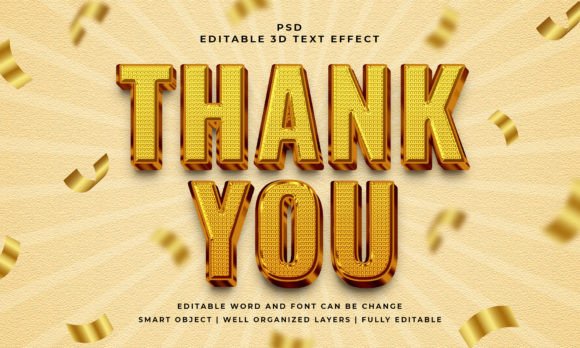
When you need a polished, professional look for a project—whether it is a thank-you card, a social media graphic, a presentation slide, or a website header—the visual style of your text matters. A flat, default font can feel underwhelming, while a well-crafted 3D text effect immediately adds depth, personality, and a sense of quality. The Thank You 3D Editable Text Effect offers exactly that capability in a convenient, editable PSD format. You simply open the file, locate the smart object, replace the placeholder text with your own, and the effect applies automatically. It works with text, vector shapes, or any kind of shape, giving you broad creative flexibility. At 2000x1200 pixels with RGB color, the output is ready for digital use, print mockups, or further editing. The file layers are well-organized, and the text remains 100% editable, meaning you can change the font, size, or wording without losing the 3D styling. This article explores what this resource offers, why it matters for different types of users, and how to decide if it fits your specific needs.
What Makes an Editable 3D Text Effect Useful
Editing a 3D text effect from scratch in Photoshop can take time. You need to build extrusion layers, adjust lighting, handle bevels, manage shadows, and keep everything consistent when you change the text. A pre-made effect like this one removes that setup work. The core idea is simple: you double-click the smart object, type your new text, save, and the effect updates across the whole composition. The result looks like a custom 3D render, but the process takes a few seconds. This efficiency matters whether you are designing one graphic or producing multiple variations for a campaign.
The file includes a JPEG preview for quick reference, and the PSD itself is structured so that you can locate the smart object layer without hunting through dozens of unlabeled groups. The 100% editable text and font support means you are not locked into a specific typeface—you can use your own brand fonts or choose something that matches the tone of your project. Because the effect also works with vector shapes, you can create 3D logos, icons, or decorative elements beyond just letters.
Beginners: A Fast Path to Professional Results
If you are new to graphic design or feel unsure about creating 3D effects from scratch, this PSD offers a practical shortcut. You do not need to understand extrusion settings, layer styles, or lighting techniques. The effect is already built, tested, and ready to use. For a beginner working on a personal project—like a thank-you graphic for a wedding, a birthday invitation, or a social media post—the main priorities are ease of use, reliability, and quality. You want the final result to look good without spending hours learning complex tools. This file meets that need: you open it, edit the text, and export. The well-organized layers help you stay oriented, and the JPEG preview gives you a reference for how the finished effect should appear.
A common beginner mistake is accidentally breaking a layer or losing the effect. Because the file uses a smart object, your edits remain isolated. If something goes wrong, you can simply delete the smart object and duplicate the original one again. That safety net makes it easier to experiment and learn without fear of ruining the design.
Creators and Professionals: Speed, Flexibility, and Consistency
For experienced designers, freelancers, and creative professionals, the priorities often shift toward speed, flexibility, and commercial value. When you have multiple clients or tight deadlines, spending time on repetitive 3D setup work is not efficient. A ready-made editable effect lets you produce consistent results across different projects without reinventing the process each time.
The fact that the effect works with text, vector shapes, or any kind of shape is especially useful for professionals. You might use it for a client’s thank-you page, a product label, a presentation title slide, or a YouTube thumbnail. The 2000x1200 pixel resolution gives you enough size for most digital use cases, and the RGB color mode keeps the output screen-friendly. Because the font and text remain editable, you can adapt the same PSD for multiple clients by changing the wording and typeface to match each brand’s guidelines.
A professional might also appreciate the ability to customize the effect further. While the file gives you a ready-to-use style, you can still add your own color overlays, shadow adjustments, or background textures on top of the smart object. The well-organized layer structure makes it easy to find the elements you want to modify without disrupting the rest of the design.
Business Owners and Entrepreneurs: Practical Marketing Uses
Small business owners and entrepreneurs often need marketing materials that look polished but do not require hiring a designer for every task. A 3D text effect can elevate a simple message into something that catches attention. For example, a local shop might use the effect for a “Thank You for Your Order” graphic to include in email receipts or social media stories. A service provider could use it on a landing page to highlight a special offer or a seasonal greeting.
In this context, the priorities are presentation, speed, and long-term usefulness. You want a resource that you can reuse multiple times without paying for a new design each time. Because the PSD file remains editable, you can keep the same effect and simply update the text for different campaigns. The commercial value comes from the fact that a single purchase or download gives you an unlimited number of variations, as long as you adjust the content yourself. For an entrepreneur with limited design experience, the ease of editing in Photoshop—or even in other apps that support PSD smart objects—makes this a practical asset.
If you are a marketer or blogger, you might use the effect to create consistent visual branding across different posts or landing pages. A recurring “Thank You” graphic with the same 3D style helps build recognition and trust with your audience. Because the effect is not overly flashy, it works well for professional contexts where you want to convey appreciation without being gimmicky.
Educators and Hobbyists: Learning and Creative Exploration
For educators teaching design classes or running workshops, this type of file serves as a useful teaching tool. Students can see how a smart object works, how layer effects create depth, and how editable text interacts with pre-built styles. Instead of spending class time on the technical setup of 3D text, you can focus on concepts like typography, color, composition, and message. The learning value is high because students get a professional result quickly, which builds confidence and encourages further exploration.
Hobbyists who enjoy creating digital art or personal projects will appreciate the creativity factor. You can use the effect for scrapbook titles, digital cards, social media headers, or even mockups for fun. Because the file supports vector shapes, you are not limited to letters—you can turn a heart, star, or arrow into a 3D element. This opens up creative possibilities that go beyond simple text.
How to Evaluate If This Effect Matches Your Project
Before purchasing or downloading any design resource, it helps to consider a few key factors: skill level, project type, output format, and editing workflow. If you are a complete beginner with no Photoshop experience, you will still need to know how to open a PSD file and locate a smart object. That is a basic skill, but it is worth confirming you are comfortable with that step. If you use a different design application, check whether it supports PSD files with smart objects—most major tools do, but some limitations may apply.
Consider the size and resolution. At 2000x1200 pixels, the file works well for digital use, social media, and print at moderate sizes. If you need a giant banner or high-resolution print output, you may need to scale the effect or verify that it holds up at larger dimensions. Because the text remains editable, scaling the smart object should keep the 3D effect intact, but always test a sample before committing to a final layout.
Think about how often you will use it. If you only need a single thank-you graphic, you might wonder whether buying a whole PSD effect is worth it. However, if you can reuse the same file for multiple messages—changing the text each time—the value increases significantly. The same effect could serve for holiday greetings, promotional offers, confirmation messages, or personal notes.
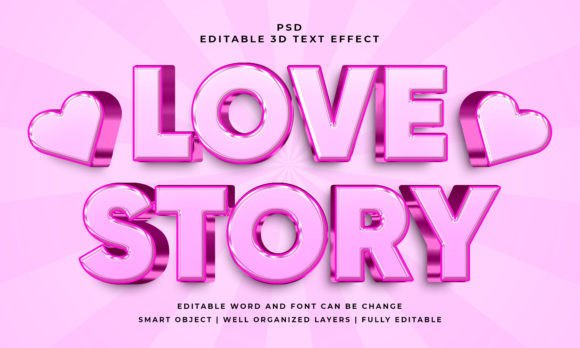
Also reflect on the style and tone. The effect shown in the preview and described in the features is polished and modern. If your brand or project calls for a more rustic, hand-drawn, or minimalist look, this particular 3D style may not fit. But if you want clean depth and a professional finish, it is a strong match. The RGB color mode and editable font also allow you to adjust colors and typefaces to better align with your visual identity.
Final Thoughts on the Thank You 3D Editable Text Effect
Design resources like this one exist to save time and reduce friction. Whether you are a beginner looking for a quick win, a professional juggling multiple projects, a business owner trying to maintain brand quality without a full design team, or a hobbyist exploring new styles, an editable 3D text effect can be a practical addition to your toolkit. The key advantages are the smart object workflow, the flexibility with text and shapes, the well-organized layers, and the consistent output quality. By understanding your own priorities—ease of use, speed, creativity, or long-term value—you can decide if this particular effect aligns with your goals. And if it does, you can open the file, replace the text, and have a polished 3D graphic ready in minutes.