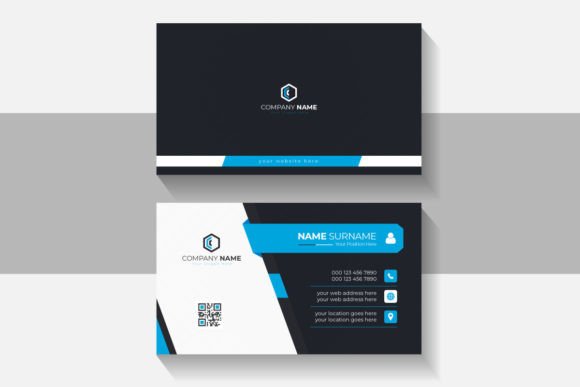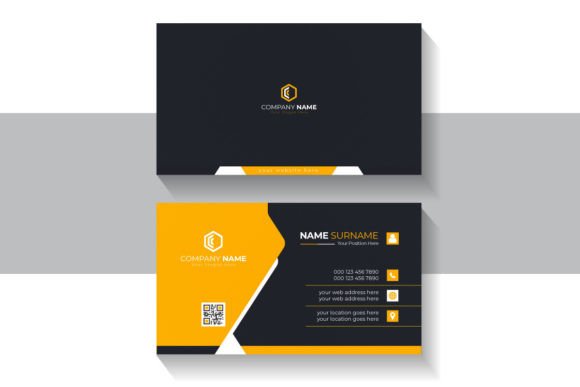
Orange Modern Business Card: Build a Brand Identity That Sticks
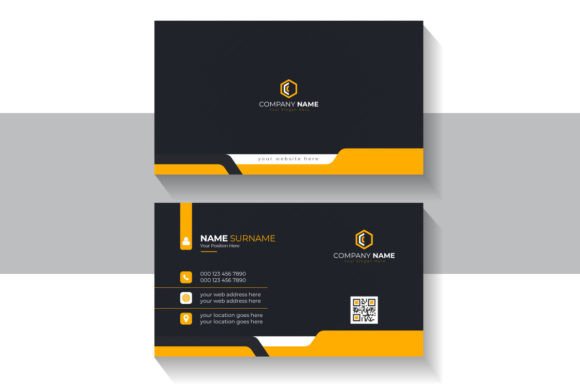
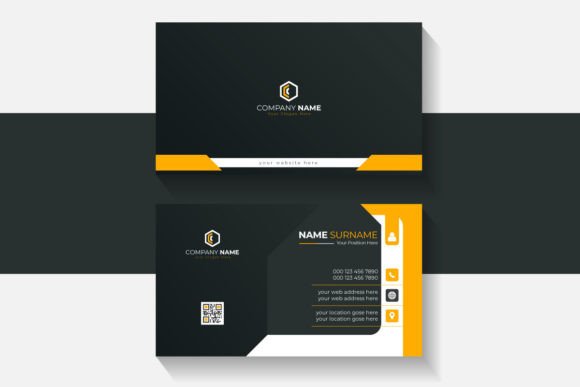
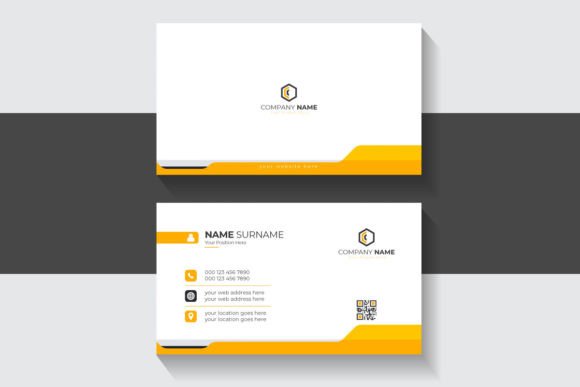
You hand someone a card, they glance at it, nod, and slip it into a pocket. A week later, they cannot remember your name or what you do. That scenario is far too common, and it is almost always a design problem, not a memory problem. A well-crafted business card does not just share contact details—it plants a visual anchor in the mind of the person holding it. The Orange Modern Business Card template, especially in a professional black and orange color scheme, is built specifically to solve that problem.
Why Orange and Black Work in Professional Design
Color choice is often underestimated in business branding. Black conveys authority, sophistication, and stability. Orange, on the other hand, brings energy, warmth, and creativity. Together, they create a visual tension that is both bold and approachable. A black and orange modern business card template does not blend into the stack. It stands out without being garish. Whether you are a freelance designer pitching to a creative agency or a real estate agent meeting potential homebuyers, that color combination signals that you understand both professionalism and personality.
The template is built using RGB Color Mode with a size of 1200×800 pixels. That resolution gives you a crisp, high-quality base for both digital previews and print-ready exports. RGB mode is particularly useful if you plan to showcase your card on a website, portfolio, or social media profile before committing to a print run.
What Makes This Template Different from Generic Options
There is no shortage of free business card templates online. Most of them, however, are rigid. You end up fighting the layout just to fit your information. The Orange Modern Business Card template takes a different approach. It is delivered as fully editable Illustrator EPS files, meaning every single object, color, and text block can be changed. You are not stuck with placeholder content or locked layers. If you want to swap the orange accent for a deeper burnt tone, you can do that in seconds. If you prefer a minimalist layout with less text, you simply delete what you do not need.
The template also uses a free font, which eliminates the licensing headaches that often come with premium typefaces. You can legally use the font for commercial projects, share the file with a print shop, or send it to a collaborator without worrying about extra costs.
Files That Work with Your Existing Workflow
Because the template is provided as Illustrator EPS files, it integrates directly into professional design workflows. You do not need to learn new software or convert formats. Open the file, make your adjustments, and export. The files are described as professional and clean, and that is not just marketing language. Layers are organized logically, colors are grouped, and the typography hierarchy is already established. This saves you the hours it would take to build a layout from scratch, especially if you are not a full-time designer.
Practical Applications Across Professional and Creative Fields
This template is versatile enough to serve a wide range of users. Here are some scenarios where it performs particularly well.
Entrepreneurs and Small Business Owners
If you run a small business, your brand identity is often carried by the materials you leave behind. A coffee shop owner, a fitness coach, or a boutique consultant can use the Orange Modern Business Card to create a cohesive brand experience. The black background provides a premium feel, while the orange highlights draw attention to key details like your phone number or website. You can hand these out at networking events, pop-up markets, or client meetings with confidence.
Freelancers and Creative Professionals
Designers, photographers, writers, and illustrators benefit from a card that looks as though it was made by someone who understands composition. The template's clean lines and balanced spacing reflect a professional eye. More importantly, because the file is fully editable, you can adapt the design to match your evolving portfolio or seasonal branding without starting over from scratch.
Corporate Teams and Internal Departments
Larger organizations often struggle with maintaining brand consistency across business cards. The editable EPS files make it easy for a marketing department to update employee information, adjust department color codes, or rebrand entirely. Since the template is clean and professional, it aligns well with corporate identity guidelines while still offering the visual energy of the orange accent.
Educators, Trainers, and Speakers
If you present at conferences, workshops, or training sessions, leaving behind a memorable card increases the likelihood that attendees will follow up. The orange and black combination is memorable without being distracting. You can include links to your course materials, LinkedIn profile, or booking page, and the card itself will reinforce your personal brand.
Key Strengths You Will Notice Right Away
The template is not just about aesthetics. Several functional strengths make it a practical choice for anyone who needs a business card quickly and reliably.
- Full editability. Every element is unlocked. You can change the font, resize objects, modify colors, and rearrange content to fit your exact needs. This flexibility is rare in free or low-cost templates.
- Vector-based files. Because the template uses vector graphics in Illustrator EPS format, you can scale the design to any size without losing quality. That is useful if you later want to create larger promotional materials like flyers or signage that match your card.
- Optimized for digital and print. The RGB color mode makes the card look vibrant on screens, while the clean file structure ensures that printing services can work with it easily. You are not forced to choose between digital presence and physical quality.
- Professional typography. The free font included in the design is well-chosen for readability and modern appeal. You can replace it with your own brand typeface if needed, but the default setup is already effective.
Practical Considerations Before You Start Editing
Before you jump into customization, take a moment to plan your content. A business card is a small canvas, so every piece of information needs to earn its place. Prioritize your name, role, phone number, email, and website. If you have room, add a social media handle or a short tagline. Avoid overcrowding the layout just because you can edit everything. The clean design works best when you respect the white (or black) space.
When editing the EPS file in Illustrator, pay attention to the layer structure. The template is organized professionally, so you can locate text layers quickly without hunting through unnamed groups. If you are new to Illustrator, the template still remains accessible because the editing process is straightforward—select the text layer, type your information, and adjust the color palette as needed.
For print, export your final file in CMYK mode if your printer requires it, but start with the RGB version for digital proofs. Many modern print services accept RGB files and handle the conversion themselves, but it is always wise to check their specifications beforehand.
How This Template Enhances Brand Communication
A business card is often the first tangible piece of your brand that a potential client holds. The tactile experience matters. The Orange Modern Business Card template, with its bold black background and vibrant orange accents, communicates confidence and creativity before a single word is read. It suggests that you care about details and that you are willing to invest in how you present yourself.
For marketers and brand managers, consistency is everything. Having a template that you can adapt and reuse for multiple team members or product lines ensures that your visual identity remains unified. You do not end up with five different card designs floating around at the same event.
Engagement and Recall
Studies on color psychology suggest that orange is associated with enthusiasm and action. When used strategically on a business card, it can subtly encourage the recipient to take the next step—whether that is visiting your website, sending an email, or following you on social media. The black background grounds that energy, making the card feel substantial rather than playful. It is a balance that works well for industries ranging from technology to hospitality.
Recommendations for Getting the Most Out of the Template
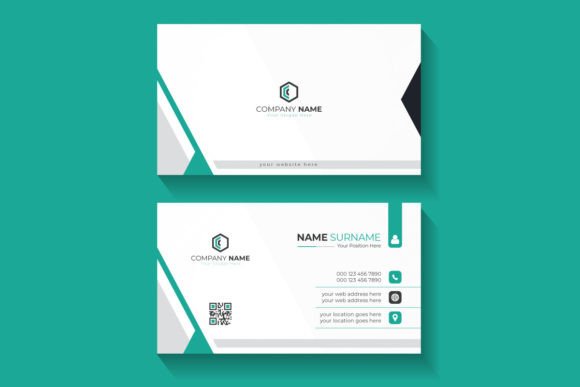
- Test different accent colors. While orange is the signature color, the template's editable nature invites experimentation. Try a teal or gold accent if orange does not align with your brand. The layout is strong enough to support various color treatments.
- Use high-resolution logos. The vector format supports crisp logo placement. Import your logo as a vector or high-resolution PNG for the best result. Avoid low-resolution images that will pixelate when printed.
- Print on quality stock. The design deserves good paper. A matte finish with spot UV on the orange elements can elevate the card further. Even without special finishes, a thick card stock makes a difference.
- Keep a digital version handy. Export a PNG or PDF version of your card to share in email signatures or during virtual meetings. The RGB mode ensures that the digital version looks as polished as the printed one.
Final Observations on the Orange Modern Business Card Template
This template is not revolutionary in the sense of introducing a new design paradigm. What it does well is execute a proven formula—bold color contrast, clean layout, and full editability—without unnecessary complexity. It respects your time by giving you a strong starting point, and it respects your brand by allowing full customization. Whether you are a seasoned entrepreneur launching a new venture or a freelancer refreshing your identity, the combination of professional black and vibrant orange gives you a card that people will remember. And in business, being remembered is half the battle.